

When someone is diagnosed with cancer, everything changes instantly. Meanwhile, the billing process often moves painfully slowly.
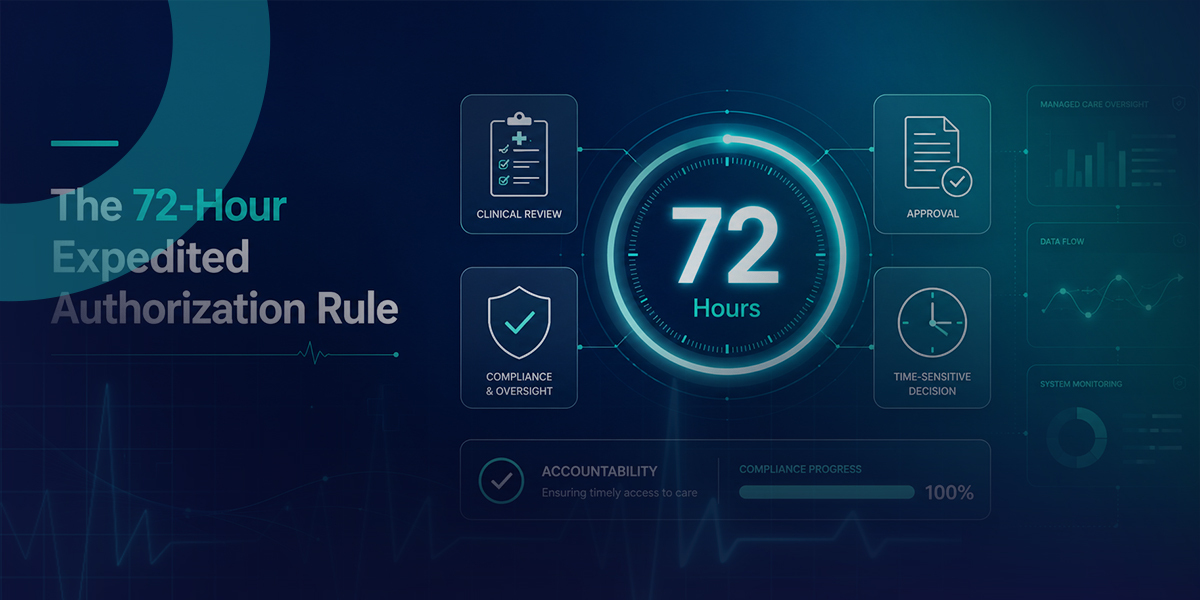
Starting in 2026, CMS-0057-F now requires payers to meet clear prior authorization standards, including a 72-hour deadline for urgent requests. Because of this, oncology teams now need to pay close attention to timing.
For California Oncology providers who work with Medicaid Managed Care Organizations (MCOs), this is a big change in daily operations. To take advantage of CMS-0057-F, clinics need to record when requests are sent, make sure all information is included, and keep track of payer responses at every step.
The biggest challenge isn’t knowing about the rule. It’s setting up a reliable process to hold California MCOs accountable when they delay, downgrade urgent requests, or give unclear denials.
COMPLIANCE UPDATE
Many plans are updating workflows in 2026 to align with CMS-0057-F. Do not assume your plan is already consistent. Track expedited requests by timestamp, confirm the submission is complete, and document every plan interaction. If California DHCS or plan-specific guidance modifies how timelines are applied in Medi-Cal managed care, follow that guidance and keep it on file.
What Actually Changes Under CMS-0057-F?
To understand the significance of this change, consider that nearly 94% of physicians report prior authorization delays resulting in delayed medical care, according to the American Medical Association. In oncology, even brief delays can alter patient outcomes.
CMS-0057-F applies to many payers, including Medicare Advantage and Medicaid managed care organizations.
Here’s a summary of the changes payers must make.
| Feature | The Old Standard (Pre-Mandate) | The CMS-0057-F Mandate |
|---|---|---|
| Standard Auth Turnaround | Often 14+ days (variable by state) | Maximum of 7 calendar days |
| Expedited Auth Turnaround | Widely inconsistent, up to 7 days | Strict 72-hour maximum for expedited decision |
| Denial Transparency | Vague rejection codes | Must provide a specific, detailed reason for denial |
| Submission Method | Fax, portals, and phone calls | Transitioning to seamless HL7 FHIR API integration |
The 72-hour rule is crucial for urgent cancer treatments. When a provider marks a request as urgent, the MCO has to treat it as time-sensitive, not routine.
Why California MCOs Are the Primary Target
California’s Medicaid managed care system is one of the most complex in the country. Medi-Cal depends on MCOs to provide benefits to millions of people.
In the past, MCOs have had a lot of independence. They use their own portals, ask for different types of clinical documents, and use peer-to-peer reviews that can slow down approvals.
CMS-0057-F now limits this autonomy.
To meet Medi-Cal’s prior authorization rules for 2026, clinics need clear steps for each plan and a written process for what to do if timelines are missed.
California DHCS sometimes gives state-specific guidance for Medi-Cal managed care when there are new federal rules. Check if DHCS has released any updates about CMS-0057-F fact sheet that change timelines, the meaning of “expedited,” or how grievances are handled for Medi-Cal plans.
How to Force MCO Compliance in Your Clinic
Don’t expect an MCO to always approve urgent requests within 72 hours. Set up a system that quickly notifies your team if a deadline is missed.
To make this work, put a strict 72-Hour Accountability Loop in place at your clinic.
Hour 0: Clinic submits the expedited auth with a complete clinical history attached and saves proof of submission.
Hour 24: Your billing team verifies receipt via the payer portal.
Hour 48: Pre-emptive check. If there is no response yet, billing flags the account for review.
Hour 72: The hard legal deadline.
Hour 73: Immediate escalation. Your team files a formal grievance citing CMS-0057-F non-compliance.
Here’s how you can put this loop into practice every day.
1. Standardize Your “Urgent” Criteria
Not every request should be marked as urgent. If you label routine scans as urgent, payers may start downgrading all your requests. Only use the expedited tag for truly critical needs, like starting chemotherapy, urgent radiation, or immediate surgery.
Important Note on Denials: Denials are getting much harder for payers to hide. Under the new rule, MCOs must provide a specific clinical reason for a denial. Generic claims of “lack of medical necessity” without further explanation will no longer fly.
2. Audit Your Own Documentation Speed
The 72-hour clock starts only when the payer has all the needed clinical information. If anything is missing, the countdown stops. Make sure your internal process includes all lab results and doctor notes before you send the request.
3. Implement Daily Auth Tracking
Check your pending requests dashboard every day. If an urgent request hits 48 hours with no response, get ready to follow up. If there’s still no answer after 72 hours, file a grievance right away for CMS-0057-F non-compliance.
What “Complete Clinical History” Means for an Expedited Oncology Authorization
The 72-hour deadline only counts if the payer thinks the request is complete. For urgent oncology authorizations, make sure you clearly define and always use the same standard for ‘complete clinical history.
A complete expedited oncology prior authorization package typically includes:
- Pathology report confirming diagnosis
- Staging workup and relevant imaging results within the plan’s recency window
- Treating oncologist note that states why the requested treatment is indicated now and why delay creates harm
- Prior treatment history when relevant (especially second-line, immunotherapy, or “step” sequencing scenarios)
- Relevant labs and performance status when the plan’s criteria require them
- The ICD-10 and CPT or HCPCS codes being requested
- Any plan-specific criteria forms or clinical questionnaires, if required
Create specific checklists for chemotherapy, radiation therapy, and surgical oncology. This will help you organize documentation and avoid starting from scratch each time.
Denial Transparency: Use the New Requirement to Win Appeals
CMS-0057-F now requires plans to give specific reasons for denials, not just general statements. This change has a direct effect on how you handle appeals.
When you appeal a prior authorization denial in California, don’t use general ‘medical necessity’ arguments. Instead, respond directly to the denial reason with the right documentation.
Examples:
- If the denial says pathology confirmation is missing, attach the pathology report and highlight the confirming language.
- If the denial says prior treatment failure is not documented, attach the prior regimen history and the oncologist note explaining sequencing.
- If the denial says an alternative was not tried, attach the clinical rationale for why the alternative is inappropriate or unsafe.
When you get specific denial reasons, you can make targeted appeals. These are quicker to prepare, easier to defend, and simpler to track.
What to Do When the Plan Responds After the 72-Hour Window
If an MCO replies after the urgent window has passed, handle the situation in two ways at the same time:
- Patient-care track: do what is needed to get a decision overturned or clarified quickly (peer-to-peer, supplemental documentation, corrected codes).
- Accountability track: Record the timeline and file a complaint so the delay is part of a clear pattern.
Having a record of repeated delays makes your case stronger when you escalate the issue.
Filing a Grievance When a California MCO Misses the Deadline
Here’s what the prior authorization grievance process looks like in practice.
When an expedited request misses the timeline, file a written grievance and include:
- Patient name and authorization request number
- Date and time the expedited request was submitted
- Proof the submission was complete (your checklist and attachment list)
- The specific timeline that was missed (72-hour expedited decision expectation)
- A statement of harm or potential harm caused by the delay
- Supporting evidence (portal screenshots, fax confirmations, call logs, representative names)
In Medi-Cal managed care, the plan’s grievance and appeal process is governed by DHCS rules and plan-specific manuals. Submit to the plan using the plan’s required channel and verify current DHCS escalation routes for managed care complaints if the plan does not respond.
Keep track of timestamps and proof of submission. This helps you have a clear record for follow-ups, audits, and contract talks.
The Accountability Action Plan
| Action Item | Who is Responsible | The Goal | Output |
|---|---|---|---|
| Create an Escalation Roster | Billing Manager | Have direct contact paths ready by hour 72 | A one-page roster per plan listing provider line, escalation email/fax, supervisor path, and any medical director escalation route. Update quarterly. |
| Clean Up Clinical Notes | Physicians and Nurses | Ensure notes clearly support “expedited” | A note template that includes a sentence like: “Delay in initiating [treatment] would result in [specific clinical consequence] due to [diagnosis and stage].” |
| Track MCO Response Times | Revenue Cycle Team | Identify repeat offenders and build evidence | A shared spreadsheet tracking submission date/time, plan, procedure type, response date/time, outcome, and violations. Review weekly. |
Preparing for 2027: The FHIR Prior Authorization API Shift
The next big change is coming in 2027, when FHIR prior authorization APIs will be required. Prior authorizations will move to structured, standards-based data exchange instead of just using fax or portal systems.
For California oncology practices, this means:
- Your EHR or practice management system needs a plan to set up FHIR-based prior authorization workflows.
- Be ready for changes to your current portal workflow, and start standardizing your documentation packages now.
- Start talking with your vendors early, since system integrations usually take longer than expected.
The Financial Reality of Prior Auth Delays
This rule affects both patient care and your practice’s financial stability.
When an MCO delays authorization, staff spend excessive time on follow-up calls, treatments are rescheduled, and resources such as infusion chairs remain unused. The administrative burden of securing approvals directly affects your bottom line.
The 72-hour expedited authorization rule gives you a way to push back, but it only works if you carefully track, document, escalate, and save evidence.
Is your billing team overwhelmed by the reality of 2026 compliance?
You do not have to navigate California MCO accountability alone. Dastify Solutions offers complete revenue cycle management designed specifically for the extreme complexities of oncology and radiology billing. Stop losing revenue to payer delays.